
Intro on Online Live Casino Malaysia Access From an Android Phone
The iBET Android app is not distributed through the Play Store. Google does not accept real-money gambling apps for Malaysia, so the app is downloaded straight from the iBET site as an APK file. That is perfectly normal for this category, but it does mean Android will stop the installation once to ask your permission — the “Unknown sources” prompt. This section provides instructions which can be easily accomplished by the following steps.
6 Easy Steps to Install the iBET App on Android
The file is around 3.5 MB and takes a few seconds to download. Everything below happens once, on first install only.
Step 1:
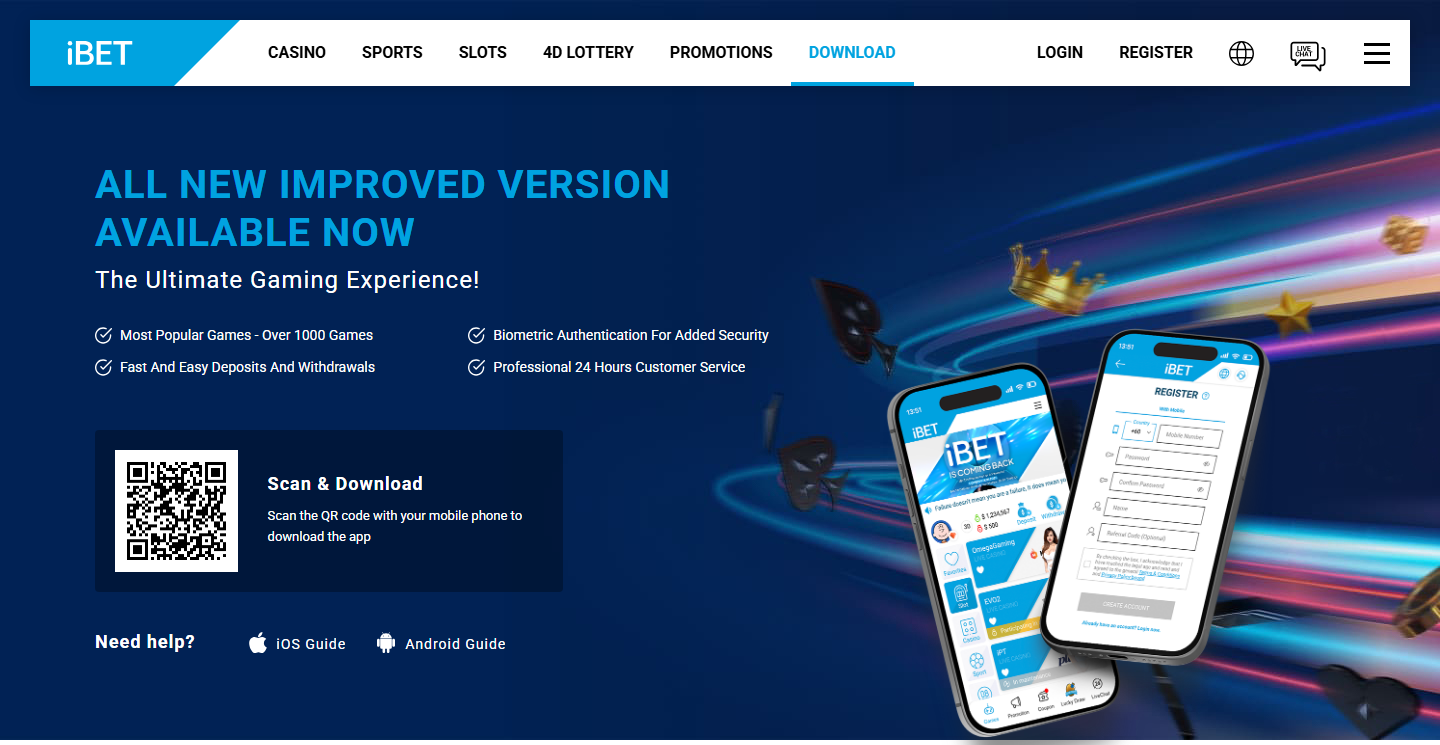
Start at the iBET download page. Open ibetmyr88.com/download.html, find the “Scan & Download” panel and scan the QR code with your phone camera. If you are already browsing on the phone itself, use “Click & Download” instead. The “Need help?” row on the same panel links to the official iOS and Android guides.
Step 2:
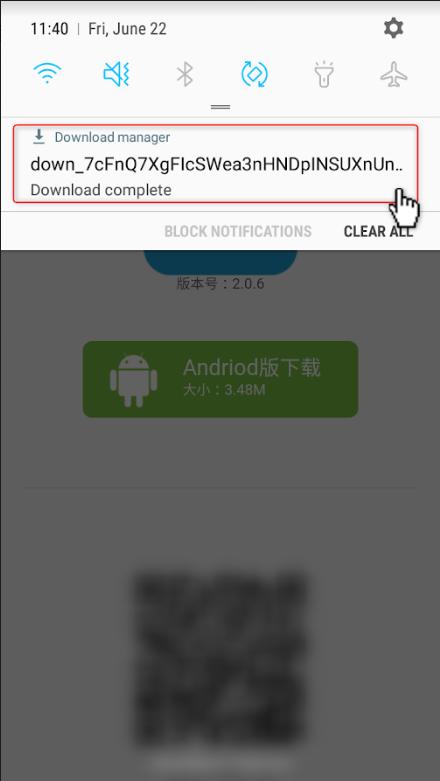
Find the top notification. Swipe down from the top of the screen, open the Download manager notification showing your newly downloaded file marked “Download complete”, and tap it to start the installation.
Step 3:
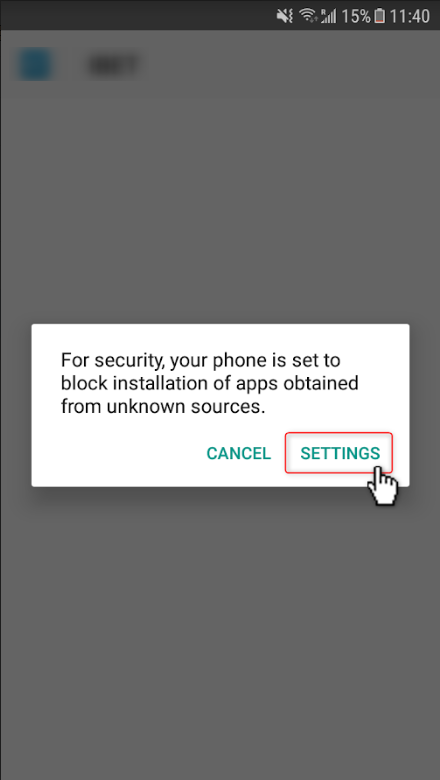
Next click on Settings. Android will say that for security your phone is set to block installation of apps obtained from unknown sources. Tap “SETTINGS” in that dialog rather than “CANCEL“.
Step 4:
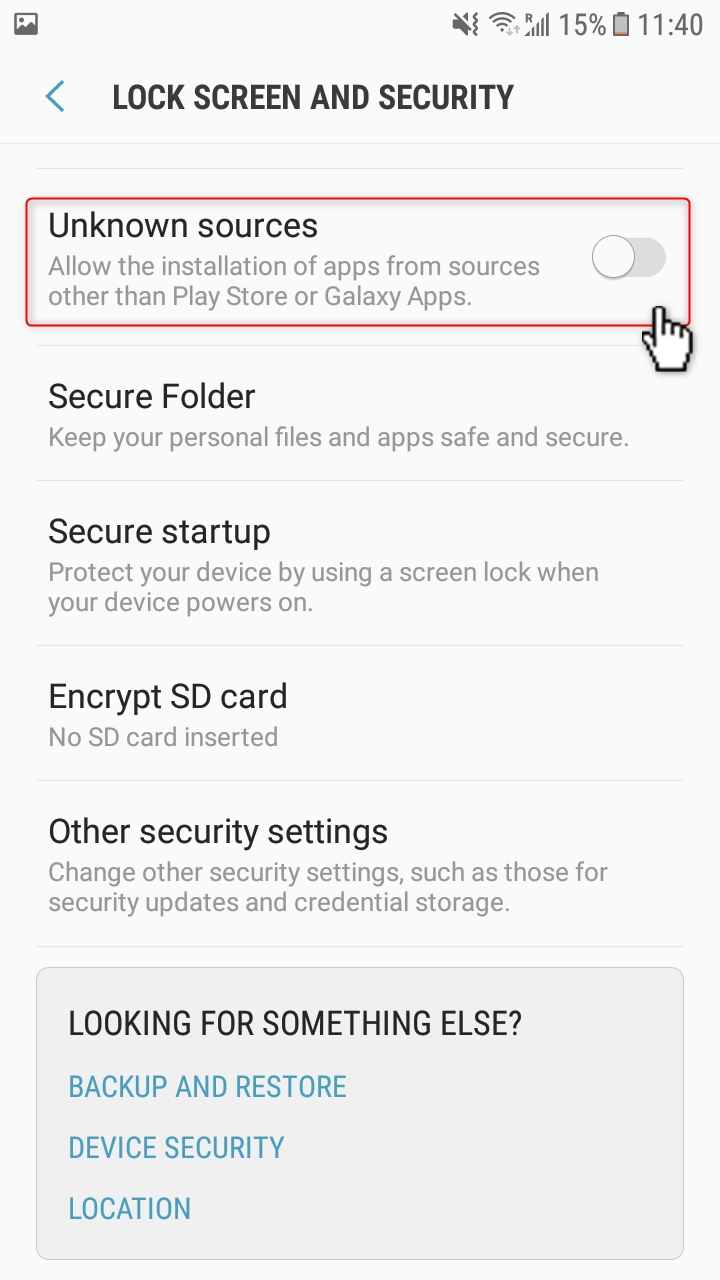
Lock screen and security > turn on “Unknown sources“. The description reads “Allow the installation of apps from sources other than Play Store”. Switch it on, then go back.
Step 5:
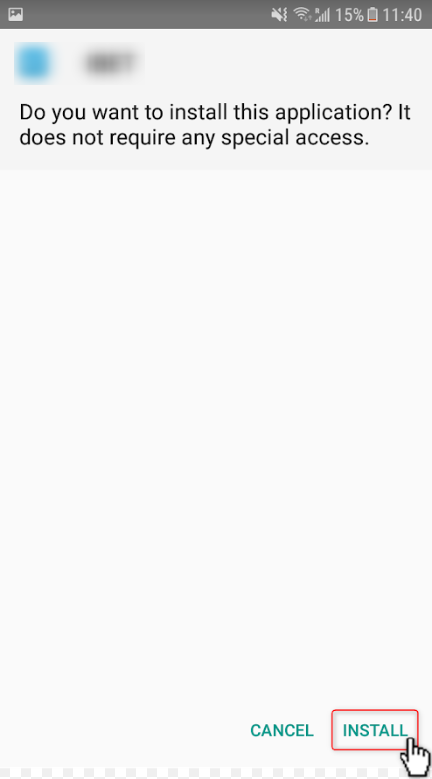
Continue click “Install”. Android asks whether you want to install this application and confirms that it does not require any special access. Tap “INSTALL” at the bottom right.
Step 6:
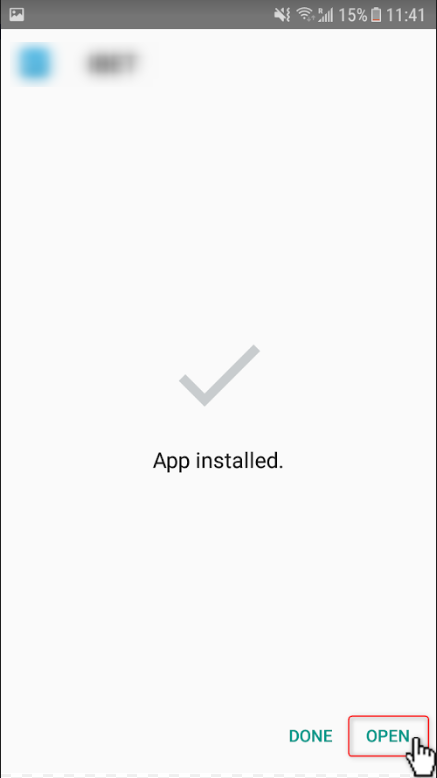
After the installation is successful, you can find the APP in the application list on your phone. Tap “OPEN” to launch it straight away, or “DONE” to open it later from your app drawer.
2 Easy Steps to Log In: Trusted Live Casino Malaysia Account Access
The iBET login system supports both a password and an SMS one-time code, and works the same way in the app and on the mobile site.
Step 1:
Open the app or the mobile site and click on “LOGIN” in the top bar. “REGISTER” sits next to it if you do not have an account yet.

Step 2:
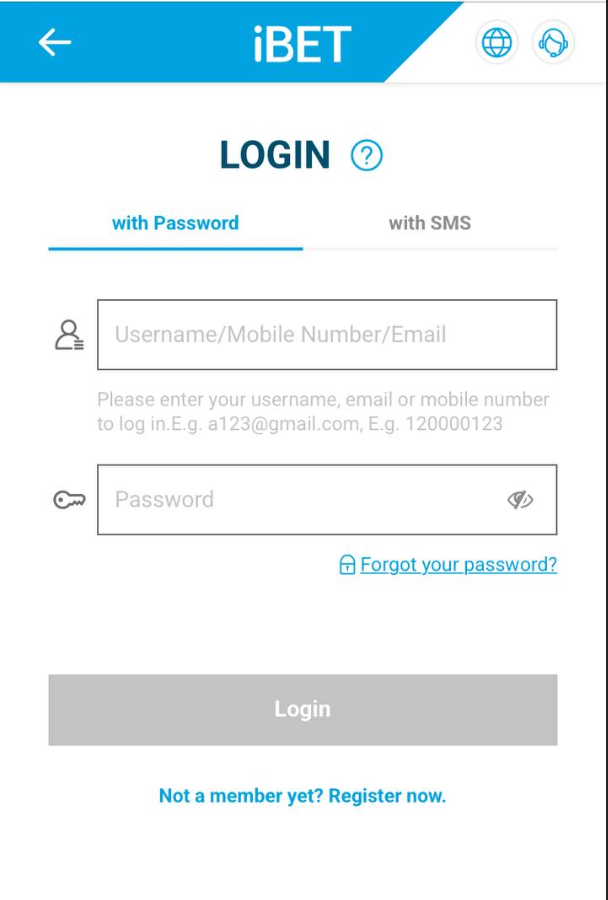
Choose your login method. “with Password” takes your username, registered mobile number or email together with your password. “with SMS” sends a one-time code to your registered mobile number instead, which is the safer choice on a shared or borrowed device. “Forgot your password?” sits under the password field, and “Register now” at the bottom.
Malaysia Trusted Live Casino: 2 Things to Check If Something Goes Wrong
Almost every problem at this stage comes down to one of two things. Both are quick to confirm before you contact support.
Step 1:
If the installation never starts, the download did not finish or the notification was cleared. Open your browser downloads or the Downloads folder in your file manager, find the APK and tap it again. If the file is much smaller than about 3.5 MB, delete it and download again from the official page.
Step 2:
If the SMS code does not arrive, confirm that the mobile number on your account is current and that you are not blocking messages from unknown senders. The password tab works regardless, and 24/7 live chat can verify from their side.
Top Live Casino Malaysia Tables Waiting Inside the App
Once you are in, the app carries the full product line on one account and one wallet: live casino across sixteen named studios including Evolution, Playtech, Pragmatic Play and Allbet, plus sports betting, online slots and 4D — over 1,000 games in total, with 24/7 live chat attached. Depositing through the app carries an extra RM18 bonus, and the live casino welcome offer is 50% on a first deposit of RM100.
Let’s Get Started >> Open Your iBET Account and Join a Live Table Today!